

Get Started NextjsTutorial — 2. Defining the data model
2. Defining the data model
Data Model
In the previous step, we created the project and gave it a name.
Now, let’s move to the model tab and define the structure of our data.
About Data Model
We’ll start with the easiest part—the About page, where we introduce ourselves.
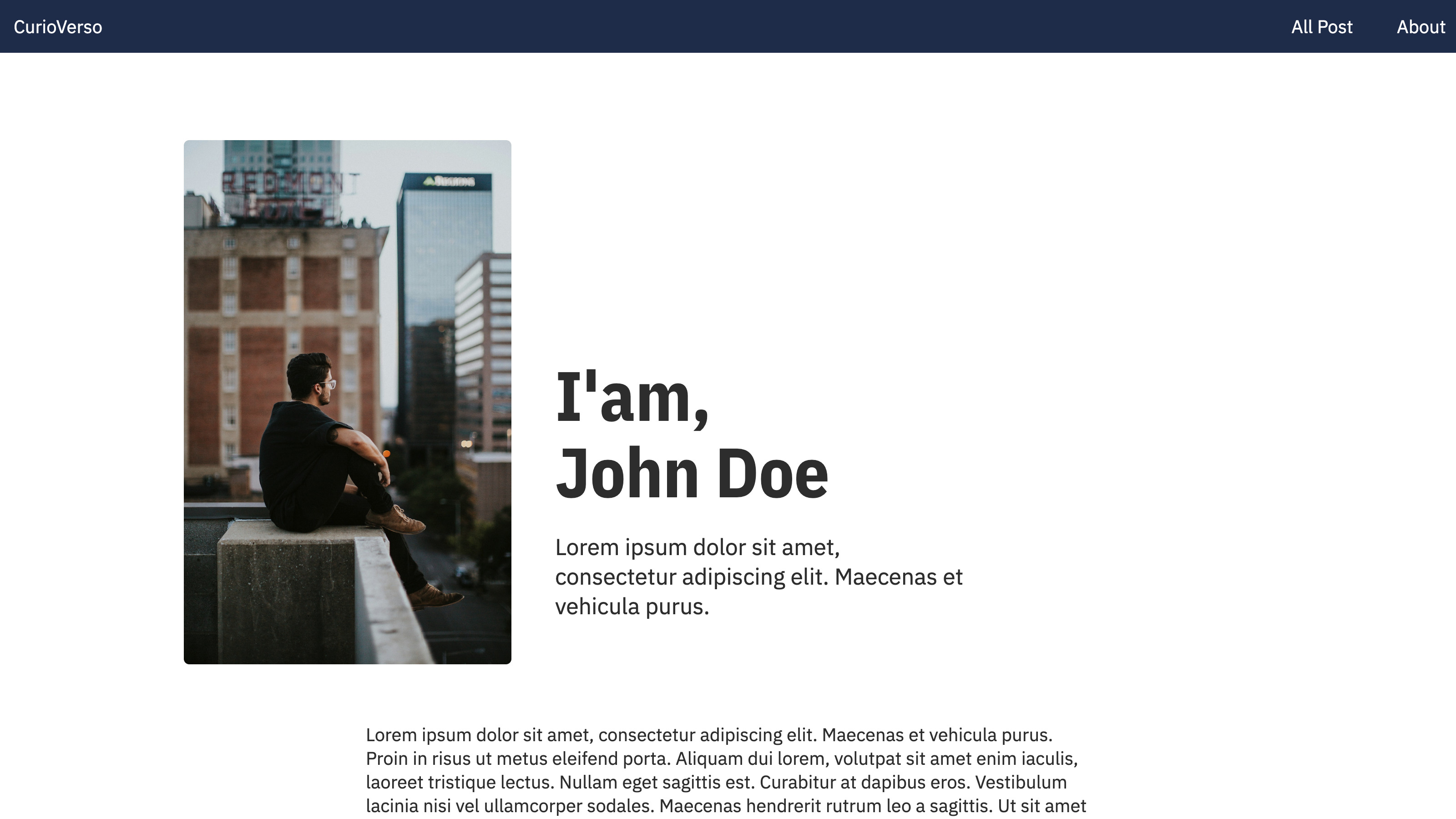
What content will this page have?
- A photo.
- Full name.
- A short bio.
- An extended bio.
If we were to define it in TypeScript, it would look like this:
interface About {
  fullname: string;
  picture: media;
  shortBio: string;
  extendedBio: longtext;
}
We’ll create the About entity with the fields we just defined. To do that, click "Add New Model" and name it "About."
Now let's add the fields, starting with the photo:
- Name: picture.
- Type: media.
- Not a collection, it will be a single photo.
- Validation: this field is required.
Next, the full name:
- Name: fullname.
- Type: short text.
- Not a collection, just one name.
- Validation: this field is required.
Now the short bio:
- Name: shortBio.
- Type: short text.
- Not a collection, just one paragraph.
- Validation: this field is required.
And finally, the extended bio:
- Name: extendedBio.
- Type: long text (long text supports Markdown).
- Not a collection.
- Validation: this field is required.
Blog Data Model
Now for the core of our site—we want to display posts, so we’ll define the "Post" entity.
What content will a post have?
- The title.
- The publication date.
- The author.
- A post summary.
- A header image.
- The content in Markdown (with embedded images, code, etc.).
If it were pseudo-TypeScript, it would look like this:
interface Post {
  title: string;
  date: Date;
  author: string;
  summary: string;
  image: media;
  content: longtext;
}
We’ll create the Post entity with the fields we just defined. To do that, click "Add New Model" and name it "Post."
Let’s add the fields, starting with the title:
- Name: title.
- Type: short text.
- Not a collection, just one title.
- Validation: this field is required.
Next, the date:
- Name: date.
- Type: date.
- Not a collection, just one date.
- Validation: this field is required.
Now the author:
- Name: author.
- Type: short text.
- Not a collection, just one author.
- Validation: this field is required.
Post summary:
- Name: summary.
- Type: short text.
- Not a collection, just one summary.
- Validation: this field is required.
Post header image:
- Name: image.
- Type: media.
- Not a collection, just one image.
- Validation: this field is required.
Finally, the post content:
- Name: content.
- Type: long text (supports Markdown).
- Not a collection.
- Validation: this field is required.
And with that, our structure is created. :)
Now let’s enter some data.