

Preview token
Preview Token
When you are updating content it is very normal that you want to take a look at how it looks before publishing it, for this Content Island offers you the Preview Token.
How does it work? It's very easy
Let's imagine that we have our blog and we have added a new post that we have not published yet.
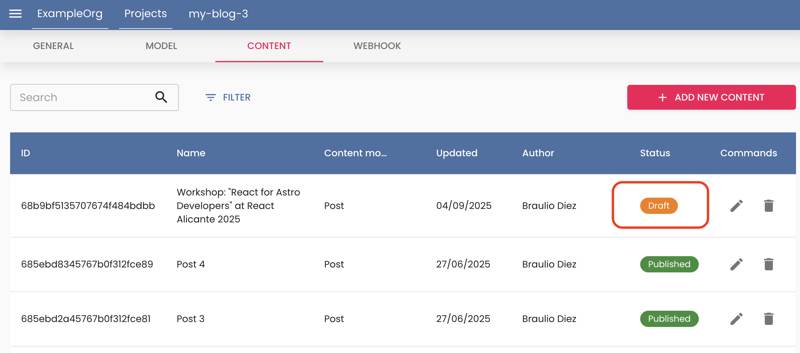
If we run our web portal locally, we will not see the new post, as it is not published.
What can I do to see what it looks like unpublished in production?
Very easy we go to the environment variable where we have the access token and add the prefix PREVIEW_ to the token.
./env
CONTENT_ISLAND_ACCESS_TOKEN=55e5a31cc5573948d5c08b9902fd135d
+ CONTENT_ISLAND_ACCESS_TOKEN=PREVIEW_55e5a31cc5573948d5c08b9902fd135d
Now you can ever the content in draft in your local or staging environment.
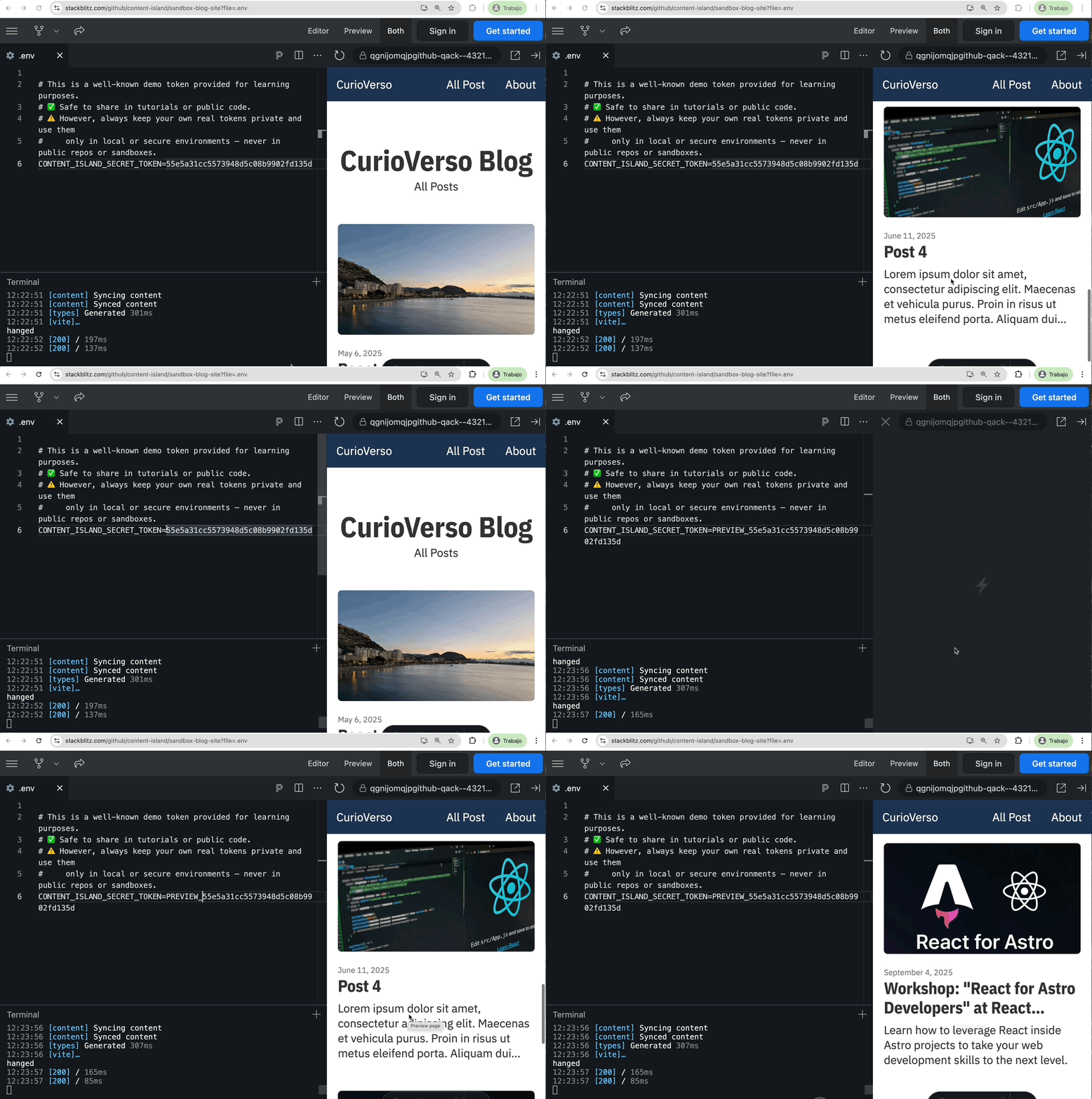
Please note, as it is unpublished data, it may not be complete, and some validation may fail or give an error.
If you want to try it yourself:
You can directly modify the token in this StackBlitz sandbox (when you put
PREVIEW_to the api token in .env, scroll the post list and you will see the new one).You can also download and run it locally, example Github repo