

Tutorial: Theming in Content Island
Theming and Content Island
When developing for a client, it’s very common for them to have a defined corporate identity: colors, fonts, styles…
It’s also typical for these elements to change over time, or to vary when dealing with a group of companies or different brands within the same organization.
At first glance, we might think this is the sole responsibility of the CSS and UI layer, and that a Headless CMS shouldn’t worry about it.
But what if we could define this corporate identity within the HCMS, and apply it consistently across all the content we generate?
Simple Case
Let’s look at a simple case: a blog with a well-defined design.
The primary colors and fonts are isolated in CSS variables, which allows us to easily manage the site's appearance from a single location.
./styles/global.css
:root {
  /*theme variables*/
  --primary-color: #1d3353;
  --font-name-body: 'IBM Plex Sans';
  --font-name-title: 'IBM Plex Sans Condensed';

  /*font family*/
  --ff-title: var(--font-name-title), sans-serif;
  --ff-body: var(--font-name-body), sans-serif;

  /*color palette*/
  --pure-white: #fff;
  --grey-700: #333;
  --primary-light-color: hsl(from var(--primary-color) h calc(s + 20) calc(l + 10));

  /*text colors*/
  --text-color: var(--grey-700);
  --text-color-light: var(--pure-white);
But... it’s not optimal, because if we want to update a primary color or a font, we have to touch the source code. Wouldn’t it be a good idea if those design tokens were in a place accessible to the client?
Integration with Content Island
What can we do from Content Island?
We can define the structure of the corporate identity in a configuration object, populate its content directly through the HCMS interface, and then use it across the application’s components.
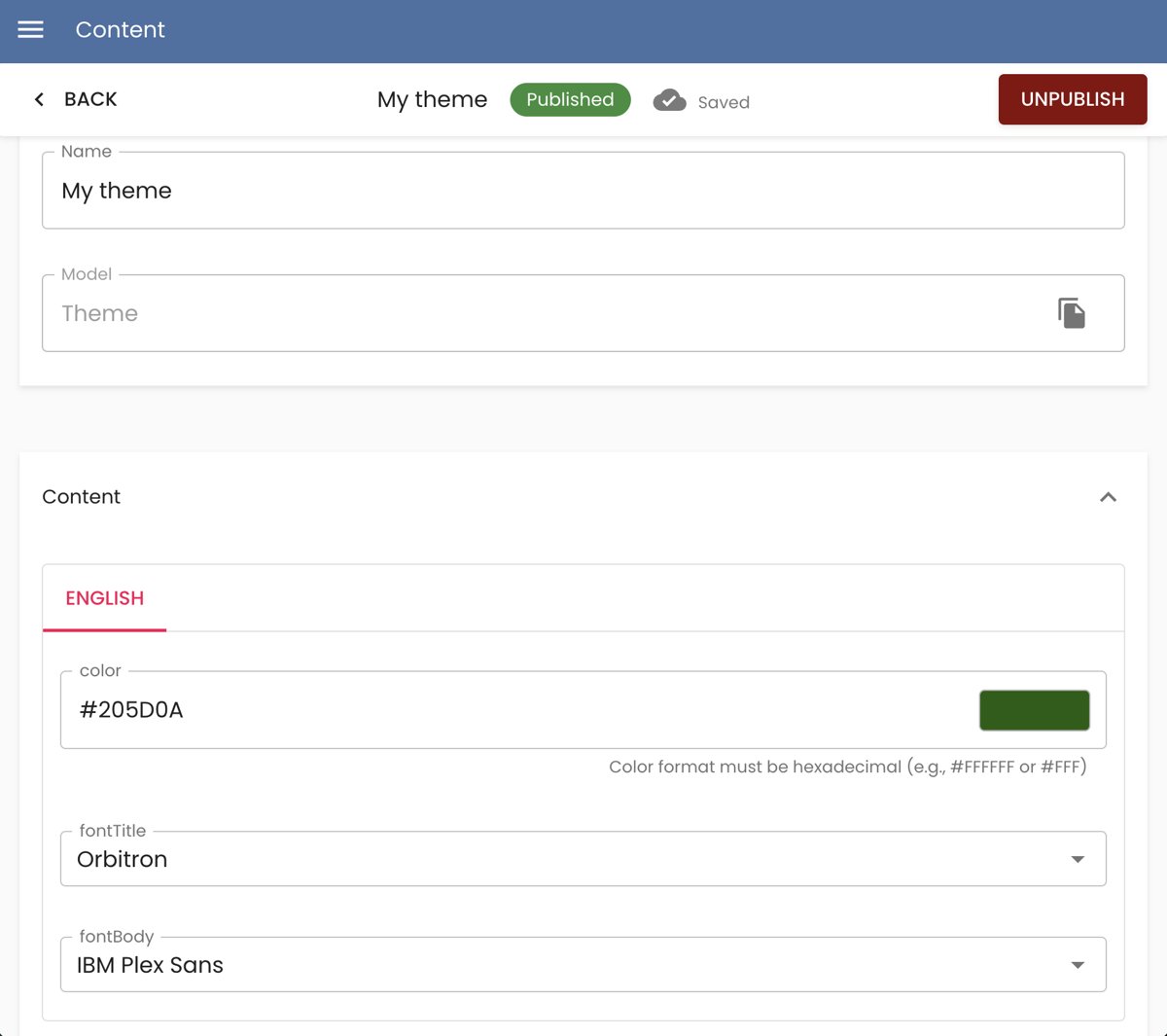
Thanks to this, with just a few modifications, we can apply global changes to all the content directly from Content Island—without touching a single line of code.
Let’s go step by step and see how we can implement this.