

Business Landing
Business Landing Template
The Business Page template is a modern, responsive one-page business website built with Astro and Tailwind CSS, with all content designed to be managed through Content Island (headless CMS).
It’s ideal for small businesses, agencies, and service providers who want a clean marketing page that’s easy to update without touching code for day-to-day changes.
What’s Inside the Template?
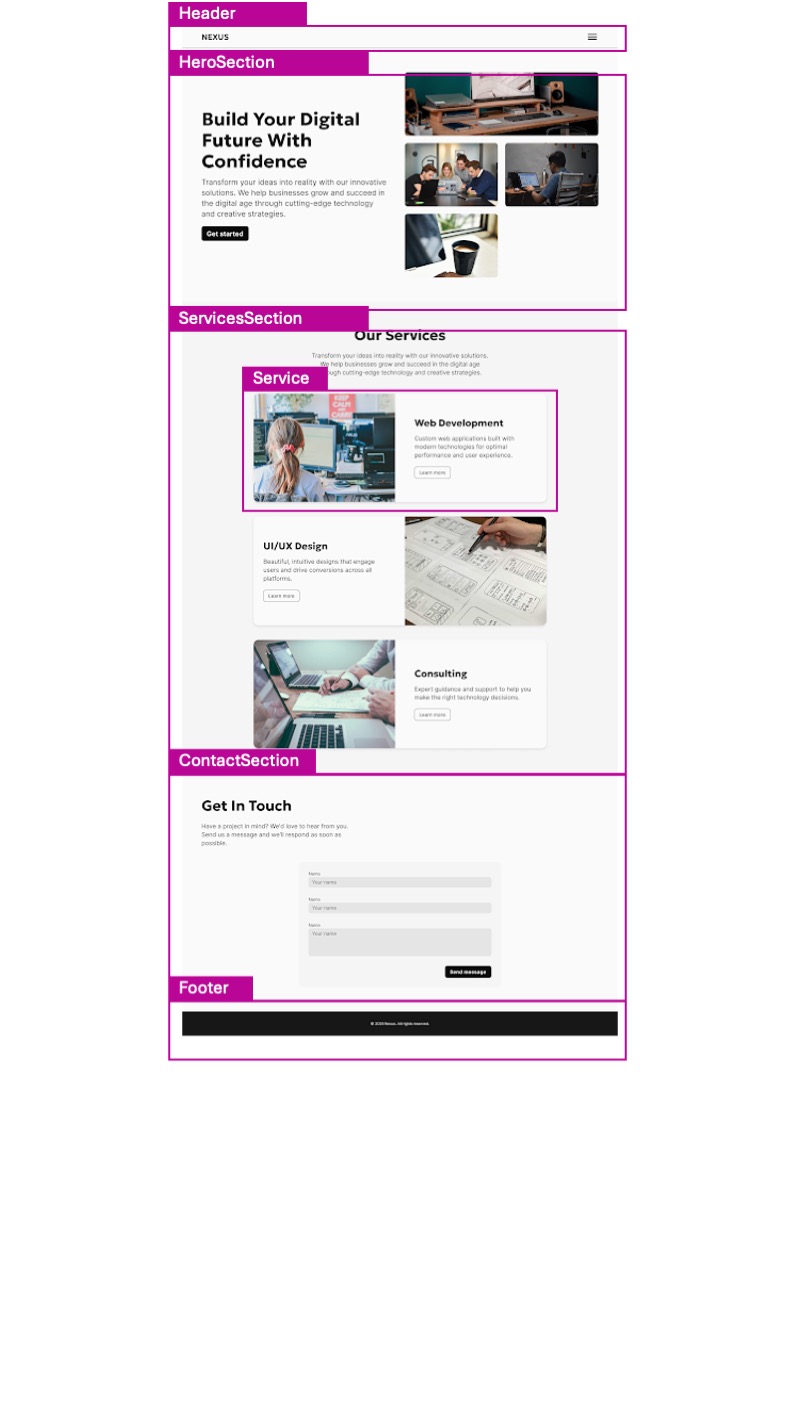
- Hero main section where we see what the company or product offers.
- Our services list of services offered.
- Get in touch form for contact between the client and the company.
- Global theming (colors + typography) controlled from Content Island.
- SEO-friendly setup and modern Astro project structure.
- Clean, minimal UI that you can easily adapt or extend.
- Navigation menu with the most important sections of our page for easy navigation
- Footer with links to the different social media platforms, language switch
Content Mapping Guide
Each section of the Business Landing template is directly linked to a type of content within Content Island
Getting Started
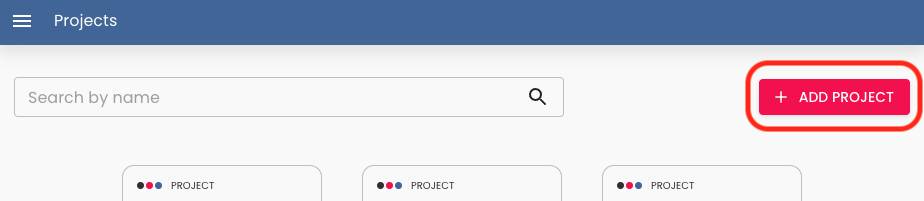
- Create a new blank project in Content Island (Add Project).
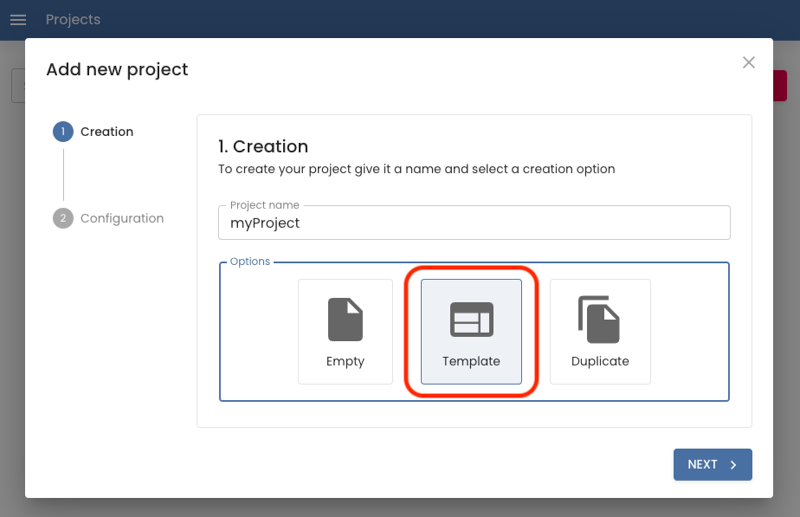
- Choose “Start from a template”.
- Select Business landing template.
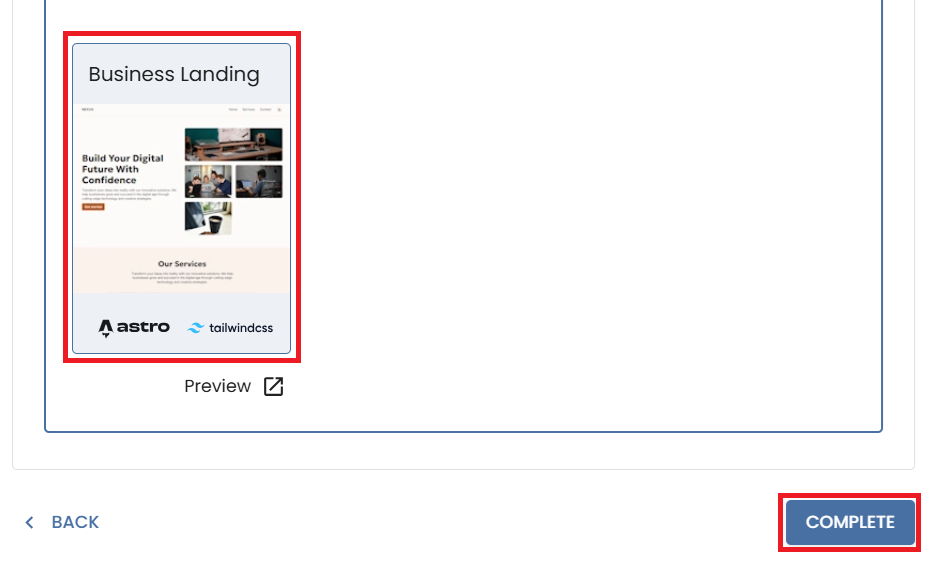
- In the final step (Quick Start), copy the CLI command provided and run it in your terminal.
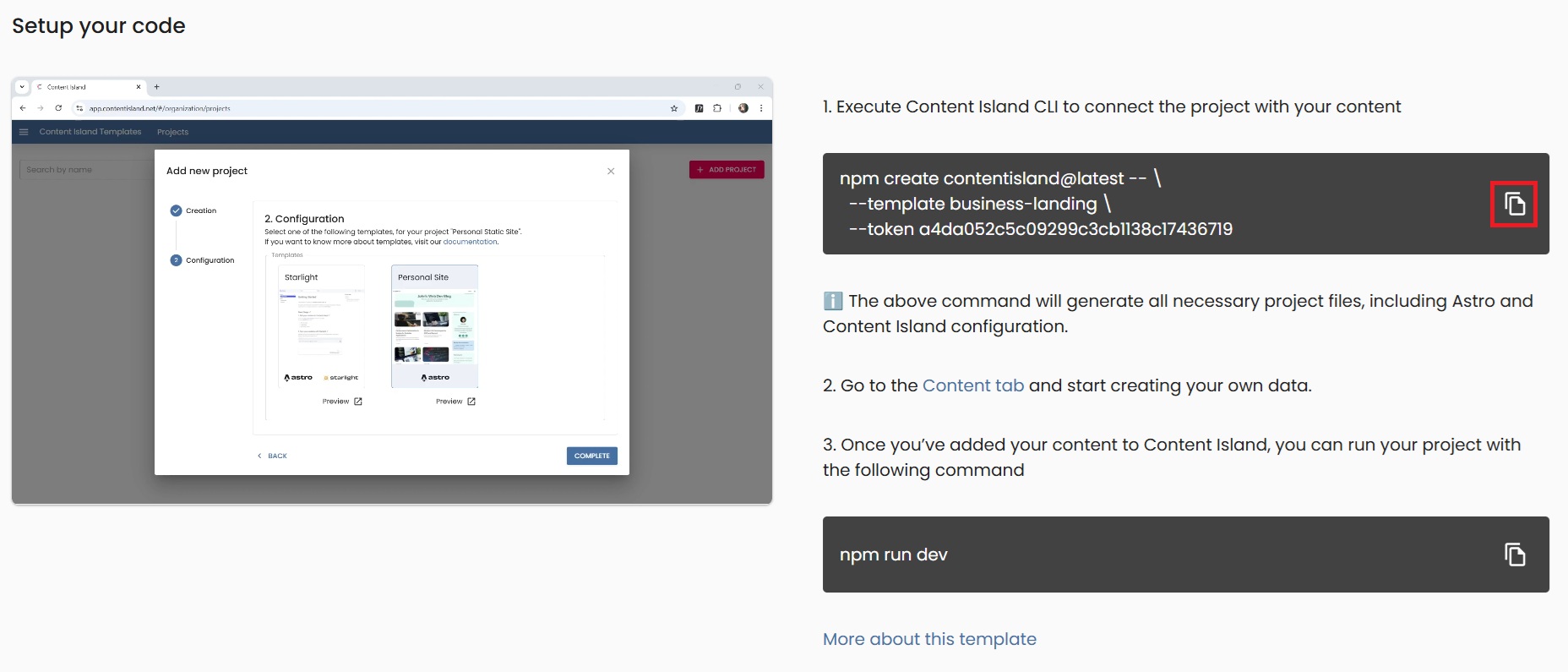
- Once created, run your local server:
npm run devTheming
The Business Landing template allows you to change the global colors and typography of the page from Content Island, without needing to touch any code.
To do this, go to the Content section and select the content item called Theme.
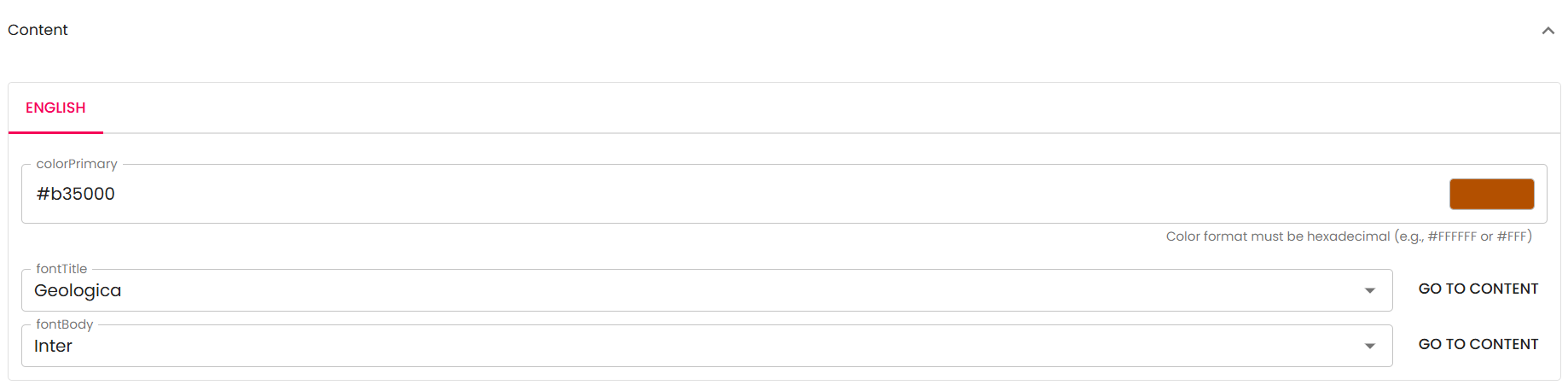
Here you can update the following fields:
-
Color Primary: Main color of the page (buttons, links, etc.).
-
Font Title: Typeface for headings.
-
Font Body: Typeface for body text.
Here are some color recommendations that work well in both light and dark mode:
- #1c70ca

- #297500

- #b35000

- #006ce0

- #4f4f4f

- #9d2593

- #b11b22

You can also use the color that best fits your brand.